Our March 2026 release introduces several improvements across Parts, Illustrations, and the core Zea platform, focused on making navigation clearer, interactions richer, and the overall experience faster and more reliable.
This release continues our effort to make complex CAD data easier to explore and interact with directly in the browser.
Highlights
Improved Navigation in Zea Parts
Navigating large equipment structures is now easier with a new breadcrumb system integrated directly into Zea Parts.
Users can move quickly through assemblies while maintaining context, and the navigation system now integrates directly with serial number search and part number search, allowing technicians and customers to find the exact components they need faster.
These improvements significantly streamline the workflow for service teams working with complex machinery and large catalogs.

New Features
Parts
Several new capabilities improve the usability and flexibility of Zea Parts catalogs.
Kit visibility – Parts that may belong to kits now display a chevron icon that allows users to quickly view all kits that include that part. This makes it easier to understand relationships between parts and kits when servicing equipment.

Improved styling control – Additional CSS classes have been added to the HTML structure within Parts, giving implementers greater control when customizing the look and feel of catalog pages.
Email and password login – Users can now authenticate directly into parts catalogs using an email and password, enabling more flexible access control for customers, partners, and internal teams.
Illustrations
Illustrations continue to evolve into a powerful tool for creating interactive technical documentation.
Linked BOM and 3D model – Authors can now display a Bill of Materials (BOM) directly within an illustration.
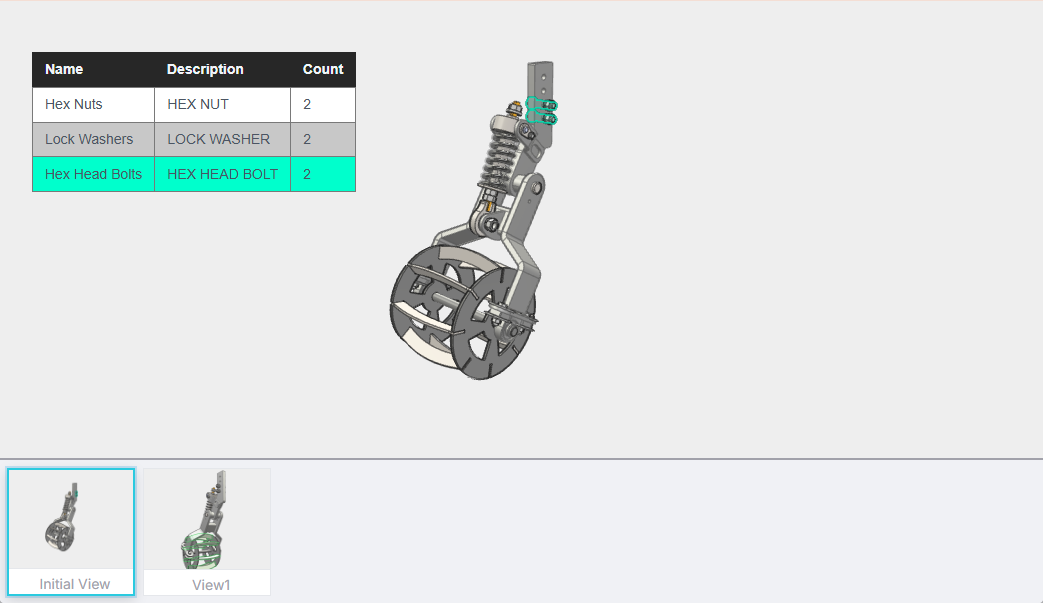
The BOM is fully linked with the 3D scene:
• Clicking a part in the 3D model highlights it in the BOM
• Clicking a row in the BOM highlights the part in the 3D model
This bi-directional linking makes it much easier for users to identify components and understand assemblies.
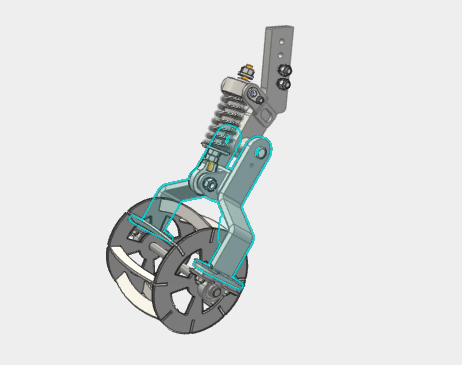
Interactive model events – Click handlers can now be assigned to items in the model tree, enabling authors to configure simple interactions such as:
• reacting to mouse hover events
• triggering actions when parts are clicked
This opens the door to richer interactive documentation and guided workflows.
Bug Fixes and Improvements
This release also includes a wide range of stability improvements and bug fixes across the platform.
Platform
- Fixed an issue in the API that could prevent new connections and require a reboot
- Improved orbit behavior when the camera flips upside down to maintain natural camera motion
- Fixed issues where users could become stuck inside assemblies when zooming
- Resolved a bug where the ViewCube could disappear when using the mouse wheel
- ViewCube orientation now maintains the correct camera target position
Parts
- Improved performance when offlining large parts catalogs
- Fixed translucency behavior for parts belonging to kits when using the Make non-serviceable parts translucent option
- Resolved issues where default option tags prevented assemblies from loading correctly
- Fixed duplicate related page links between parts pages
Illustrations
- Items selected in the viewport or model tree now highlight correctly in the DopeSheet tree
- Copying and pasting transforms now correctly initializes a neutral pose when the target item previously had no transform key
Continuing to Improve Zea
Each release of Zea continues to push forward our goal of making CAD data more accessible, interactive, and useful across the entire product lifecycle.
From parts catalogs and service documentation to custom applications built on Zea Engine, these updates help teams work more effectively with their products directly in the browser.
If you would like to learn more about how Zea can help bring your CAD data to life, please get in touch with us.